DBmarlin MCP server now available: ask your AI assistant about database performance

Mick McGuinness
The DBmarlin MCP server is now available. It lets AI assistants such as Claude Desktop, Claude Code, Cursor and VS Code query DBmarlin in plain language, using 22 read-only tools.
Database performance questions rarely arrive in a convenient form. "Why was the app slow around 10am?" is a normal thing to be asked, and answering it usually means clicking through several screens, comparing time ranges and copying SQL into a ticket.
With the new DBmarlin MCP server, you can ask that question directly in the AI assistant you already use and let it pull the answer from DBmarlin. It is available now as an optional add-on from DBmarlin 6.10.
What is MCP?
The Model Context Protocol (MCP) is an open standard that lets AI assistants connect to external tools and data sources. The DBmarlin MCP server sits between the DBmarlin APIs and large language models such as Claude. Your assistant gets a set of tools it can call, and DBmarlin supplies the real performance data behind the answers, rather than the assistant guessing.
What can you ask?
The MCP server exposes 22 read-only tools. They cover the questions you ask most often when something is wrong, including:
- Instance activity: how busy was a database over a given period, and where was the time spent?
- Top SQL: which statements consumed the most time, and how did they behave over a particular window?
- Blocking sessions and deadlocks: what was blocking what, and which sessions were involved?
- Host metrics: was the underlying server short of CPU, memory or disk?
- Table and index details: how big is a table, and which indexes does it have?
Because every tool is read-only, an assistant can investigate but cannot change anything in DBmarlin or on your databases.
See it in action
In the demo below, the MCP server is configured in an MCP-enabled extension and pointed at a DBmarlin endpoint. Then, using Claude, we:
- Ask for database performance over the last hour across four instances.
- Drill into specific time ranges and individual SQL statements.
- Reproduce the charts from two load tests over the last six hours.
- Tune a slow
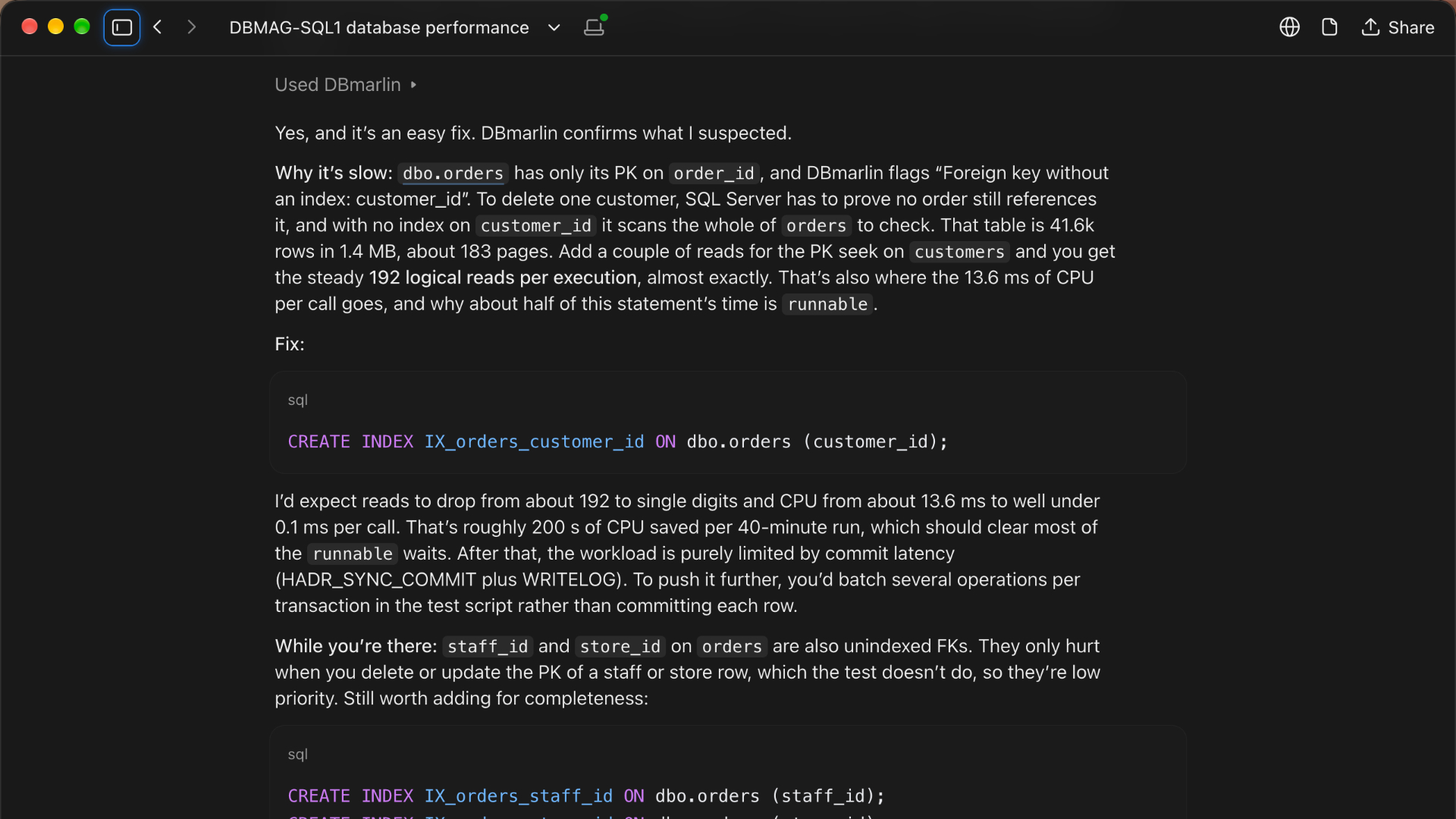
DELETEstatement. Based on what DBmarlin shows, Claude suggests adding an index onorders.customer_id.
Why it's useful
- Faster triage. Ask "triage my SQL Server instance between 9 and 10am this morning" and get a summary, then keep asking follow-up questions.
- Grounded answers. The assistant works from DBmarlin's measured data, such as wait times, execution statistics and blocking chains, so recommendations like the index suggestion above are based on evidence.
- Works where you work. Use it from the AI assistant or editor you already have open, without switching to another screen.
- Safe by design. The tools are read-only.
Getting started
- Upgrade to DBmarlin 6.10 or later.
- Set up the MCP server by following the MCP server documentation.
- Add the DBmarlin endpoint to your MCP-enabled client, such as Claude Desktop, Claude Code, Cursor or VS Code.
- Start asking questions.
You can also read about the rest of the release in the DBmarlin 6.10 announcement, which includes SQL Server backup monitoring and Oracle CDB/PDB support.
👉 Try it today. Download DBmarlin and connect your AI assistant to your database performance data.
Continue exploring DBmarlin